
How to Use ChatGPT for Business (Without Turning Your Ops Into a Prompt-Fueled Mess)
I wasn’t sure about this at first, but the data tells a different story. Years ago, when I was still shipping software for clients, I used ChatGPT to draft a delicate “we missed the deadline” email—and realised the bottleneck wasn’t writing. It was deciding what we were actually committing to.
This post is about repeatable workflows, guardrails, and measurable wins—not “AI will fix your business.” ChatGPT Business is explicitly positioned for work: team features, tool connections, and security claims like encryption, SSO/MFA, and “never used for training our models” (ChatGPT Business). Useful. Still not magic.
Key Takeaways
- Start where mistakes are cheap. Use ChatGPT internally first (drafts, summaries, checklists), then earn your way into higher-risk work. Zendesk is blunt about customer support: not ready (Zendesk).
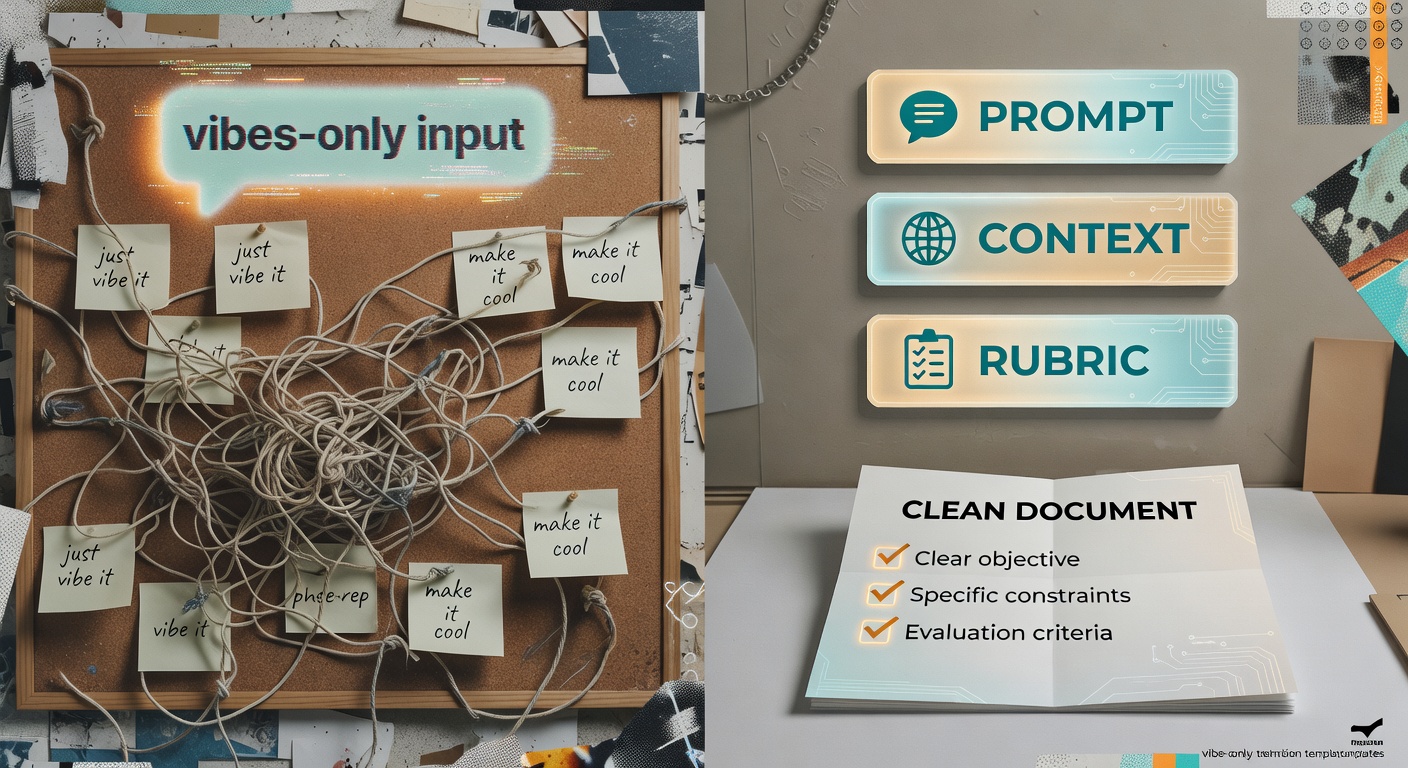
- Standardise the input, not the “perfect prompt.” Create one brief template per workflow (context + constraints + rubric), then reuse it. Next step: publish a shared “rubric library” in your docs.
- Make “draft-only + verification” a default, not a suggestion. Next step: add a required “Verified by: ____” line to any customer-facing output.
- Measure boring things. Minutes saved, rework avoided, cycle time reduced. Plex Coffee claims routine internal messages dropped 50% after using ChatGPT (ChatGPT Business)—that’s the kind of metric you can actually operationalise.
- Don’t pretend adoption is automatic. Next step: run a 30-day pilot with champions, office hours, and weekly usage/quality reporting (see Adoption section).
- Reality check: if your “ROI” slide is just “people feel faster,” you don’t have ROI—you have vibes.
How to Measure ROI (Without Lying to Yourself)
Most AI ROI talk is either (a) fantasy spreadsheets or (b) “we saved time” with zero proof. Here’s the version that survives contact with finance.
Simple ROI equation (use this, then argue about the inputs):
ROI value = (time saved value + error/rework cost avoided + cycle-time gains) − (tool cost + implementation cost + ongoing governance)
1) Pick 1–2 workflows to baseline. Not ten. Two. Ideally: high-frequency, low-risk, and already measurable. Examples: internal email drafting, meeting-note synthesis, ticket macro drafting, campaign analysis memos.
2) Convert minutes saved into dollars (without getting cute).
- Loaded hourly cost: use fully-loaded cost (salary + benefits + overhead). If you don’t have it, pick a conservative number and document it.
- Throughput: time saved only matters if it turns into more output (more tickets handled, more campaigns shipped) or less overtime.
- Opportunity cost: if time saved gets reinvested into higher-value work, track that as a second-order benefit—not as “headcount reduction.”
3) Account for quality risk (this is where teams get sloppy). Track at least one quality proxy per workflow:
- Rework rate: how often a draft triggers back-and-forth cycles or needs a rewrite.
- Escalation rate: how often the output gets kicked to a senior reviewer or legal/compliance.
- Hallucination incidents: count and classify (minor wording vs factual error vs policy violation).
4) Don’t ignore implementation costs. Even “simple” rollouts cost time: training, prompt/rubric creation, redaction rules, QA sampling, and whatever glue you use to connect tools.
30-day measurement plan (minimal, but real):
- Days 1–5: capture baseline for 20 samples per workflow (time-to-complete + rework cycles + error flags).
- Days 6–20: run AI-assisted process with the same sampling; enforce draft-only + verification.
- Days 21–30: compare deltas, compute ROI with conservative assumptions, and decide: scale, tweak, or kill.
| Workflow | Baseline metric | Target metric | How to measure | ROI lever | Data source |
|---|---|---|---|---|---|
| Email drafting (internal/client) | Minutes from “start draft” → “sent” | Reduce median cycle time by X% | Sample 20 emails; timebox; count revision cycles | Time saved + fewer rewrite loops | Email timestamps + doc revision history |
| Meeting-note synthesis | Minutes to produce summary + action items | Same-day notes with owners/dates | Compare time-to-publish; audit owner/date accuracy | Cycle time + error avoidance | Calendar duration + notes doc timestamps |
| Ticket macro drafting (support) | AHT + QA score + escalation rate | Lower AHT without QA drop | QA sample weekly; tag AI-assisted replies | Time saved + fewer errors/rework | Helpdesk timestamps + QA rubric |
| Campaign analysis decision memo | Analyst hours per weekly report | Faster memo + documented assumptions | Track time; require “assumptions” section; compare outcomes | Time saved + better decisions (cycle time) | Ad platform exports + doc history |
Adoption: Training, Resistance, and the Metrics That Prove It’s Working
Reality check: you can buy the tool in an afternoon and still get exactly zero value if nobody trusts it—or if they use it in a way that creates more cleanup work than it saves.
Handle resistance like an engineer, not a motivational poster. People resist when:
- they think it will make them look sloppy,
- they’re afraid it’s a surveillance tool,
- they don’t want to be the one who ships a hallucination to a customer.
Fix that with guardrails (draft-only), training (redaction + verification), and a clear “what good looks like” rubric.
Training that doesn’t waste everyone’s afternoon:
- 30-minute enablement: one workflow, one template, one live example.
- Office hours: 2x/week for the first month; bring real drafts and fix them together.
- Prompt/rubric library: versioned templates in a shared doc; one owner per template.
- Expectation setting: it drafts; humans approve. No exceptions for customer-facing comms.
Adoption metrics (if you don’t track these, you’re guessing):
- Weekly active users (WAU) in the workspace
- % of target workflows using the standard brief template
- Review/approval compliance (did someone actually verify?)
- Time-to-first-value (days until a user completes one workflow end-to-end)
- Rework rate (edits per draft / number of back-and-forth cycles)
Rollout plan: pilot → champions → scale. Pick 3–5 champions who like tinkering, give them the templates, and make them responsible for collecting failure cases (bad drafts, missing context, policy violations). That’s your training data—human, messy, and actually useful.
When usage stalls: don’t nag. Diagnose. Usually it’s one of three things: the template is too heavy, the workflow isn’t frequent enough, or the approval step is unclear. Fix the bottleneck, then re-run the pilot for a week.
30-Day Rollout Checklist (measurable, not aspirational)
Week 1 — Baseline
☐ Pick 2 workflows; capture baseline cycle time for 20 samples each
☐ Define a “draft-only + verification” rule for customer-facing text
☐ Create a redaction checklist (PII, account numbers, contract terms)
Week 2 — Pilot
☐ Recruit 5–10 pilot users; require they run 5 real tasks each
☐ Log failure cases (hallucinations, tone issues, missing context)
☐ QA-sample 10 outputs; score against the rubric
Week 3 — Training + Library
☐ Run one 30-minute enablement session using a real example
☐ Publish 3 versioned templates (brief + rubric) in a shared doc
☐ Hold 2 office-hour sessions; collect top 10 questions
Week 4 — Scale + Audit
☐ Expand to the next team; track WAU and workflow usage weekly
☐ Add QA sampling (e.g., 5% of AI-assisted outputs)
☐ Publish a one-page ROI readout: time saved, rework rate, incidents
Pick the Right Starting Point: 3 Business Jobs ChatGPT Is Actually Good At
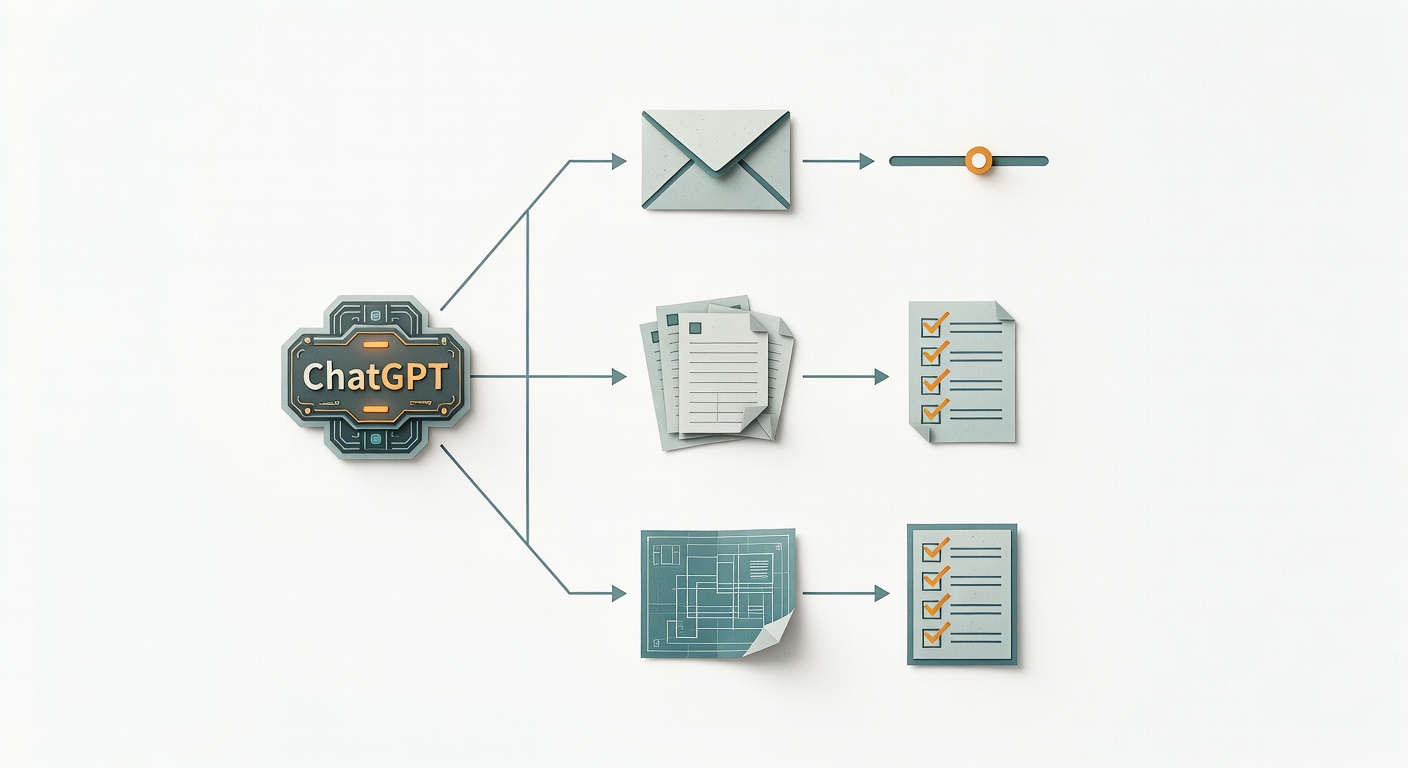
Most “how to use ChatGPT for business” guides turn into a laundry list. I prefer three jobs you can actually operationalise.
1) Communication drafting (especially the awkward stuff)
If you’ve ever stared at a client email for 30 minutes because you’re trying to be firm and polite, you know the pain. Evergreen Small Business calls out exactly this: soften an angry draft, fix grammar, translate, or write the emotionally loaded “we’re disengaging” message (Evergreen Small Business).
What this is NOT for: sending unreviewed customer comms. Draft fast, then verify facts, promises, and tone.
2) Synthesis (turning messy inputs into something you can act on)
ChatGPT is good at taking a blob—meeting notes, a call transcript, a long email thread—and producing a structured summary with next steps. Zendesk lists “recap Zoom calls… through transcript and action item summaries” as a practical internal use (Zendesk).
What this is NOT for: being the system of record. Treat it like a summariser, not a truth machine.
3) Structured thinking (plans, checklists, scenario outlines)
Evergreen’s take is refreshingly honest: ChatGPT isn’t great at inventing strategy, but it is strong at critiquing your plan and spotting holes (Evergreen Small Business). Use it to outline a launch checklist, draft a risk register, or generate “if X happens, then Y” scenarios.
What this is NOT for: making the tradeoffs. It can list options; it can’t own consequences.
Advanced Use Cases: Where ChatGPT Starts Paying for Itself
Once the basics are stable, the real value shows up in “messy middle” work—where humans drown in inputs and decisions get stuck in Slack scrollback.
1) Decision memos from messy data
Inputs: exports (spend/clicks/conversions), notes on tracking issues, and the time window.
Steps: have it summarise what changed, list assumptions, propose 1–2 actions, and call out risks.
Guardrails: require an “Assumptions” section and a “What would change my mind?” section.
Measure: analyst hours saved + cycle time to decision + number of revisions before approval.
2) QA + compliance preflight (a cheap second set of eyes)
Inputs: draft copy + your policy/rubric (refund language, regulated claims, brand constraints).
Steps: ask for a scored rubric, flagged risky lines, and suggested safer rewrites.
Guardrails: it can flag; it can’t approve. Human sign-off stays mandatory.
Measure: reduction in compliance edits + fewer “oops” corrections after publishing.
3) Knowledge base gap mining (support + product teams love this)
Inputs: 50–200 ticket summaries (redacted) or internal notes.
Steps: cluster by theme, propose missing KB articles, and draft outlines with “common pitfalls.”
Guardrails: no new “facts” without linking to internal sources; treat drafts as proposals.
Measure: deflection rate over time + fewer repeat tickets on the same issue.
4) Sales call coaching (without turning reps into robots)
Inputs: transcript + deal stage + ICP + what “good” looks like for your team.
Steps: extract objections, map them to responses, propose next-step email, and list discovery gaps.
Guardrails: never fabricate customer intent; require quotes from transcript for each claim.
Measure: time-to-follow-up + next-step clarity + manager review time saved.
5) Ops incident postmortem assistant
Inputs: incident timeline notes, alerts, and the “what changed” list.
Steps: generate a timeline, contributing factors, and action items with owners.
Guardrails: label speculation as speculation; owners must be verified by the incident lead.
Measure: time-to-postmortem + action item completion rate + repeat incident rate.
Integrations & Automation (Without Turning Everything Into a Rube Goldberg Machine)
Connecting ChatGPT to your docs/CRM/helpdesk sounds great—until you’ve built a fragile contraption that breaks every time someone renames a field.
Safe automation patterns (start here):
- Structured templates: one “brief” format per workflow so context is consistent.
- Human-in-the-loop gates: draft is generated automatically; sending/publishing requires approval.
- Least-privilege access: only connect what the workflow needs (not “all the things”).
- Redaction first: strip PII before it ever hits the model.
- Logging: store prompt version + output + final edited version for audit and learning.
- Versioned rubrics: treat your templates like code—change them deliberately.
When NOT to automate: high-risk customer comms, regulated claims, refunds/credits, legal language, anything where a confident mistake becomes an expensive mistake. Zendesk’s warning list (hallucinations, privacy/security, bias) is exactly why (Zendesk).
How to start without overbuilding: pick one connector (docs or helpdesk) + one workflow (summaries or macro drafts). Prove value, then expand.
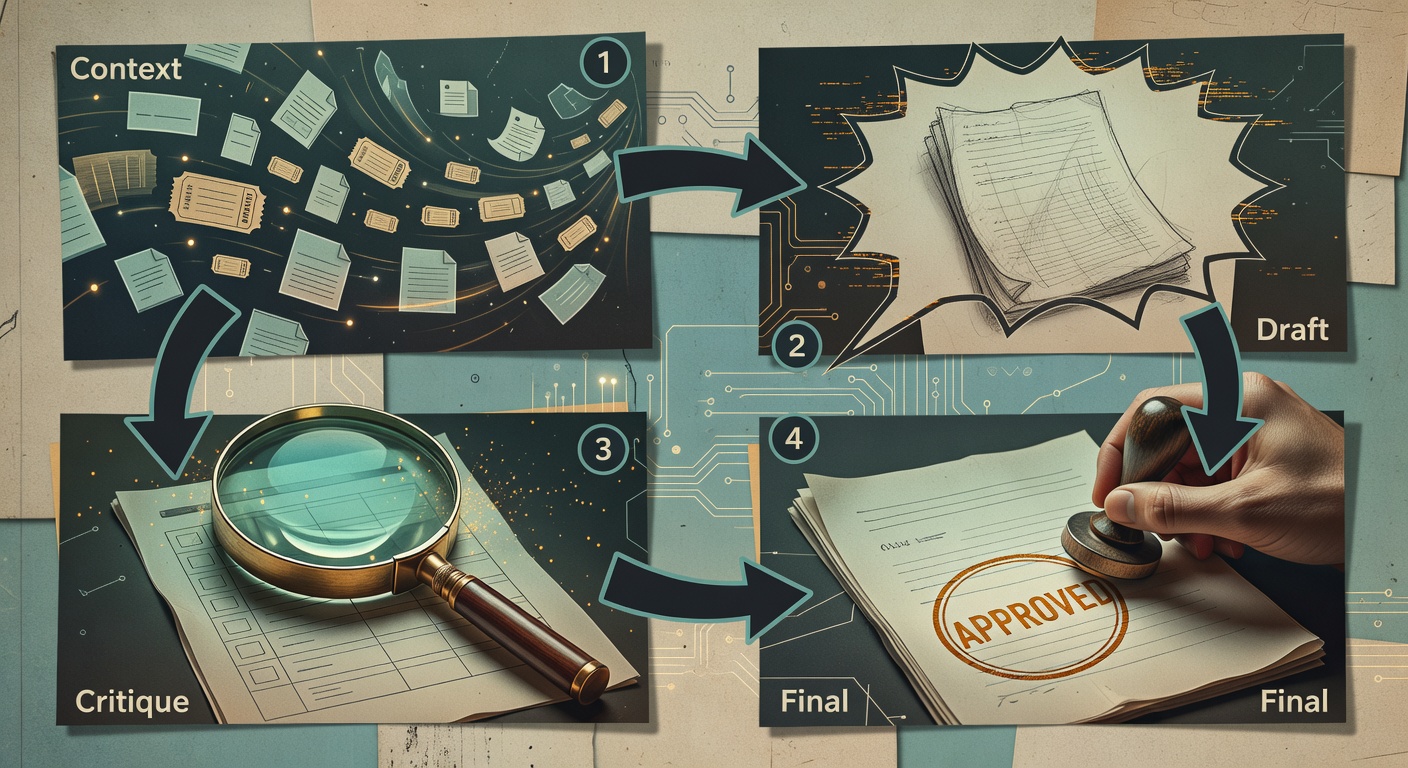
The Workflow Pattern That Scales: Context → Draft → Critique → Final
Here’s the part nobody wants to hear: the “secret sauce” isn’t the prompt. It’s the workflow discipline—context that’s structured, critique that’s rubric-based, and a final step with a named human owner. Boring. Effective.
1) Context (attach the real stuff)
ChatGPT Business is built for the “bring in context from your docs, CRM, tickets, and messages” pitch (ChatGPT Business). The trick is to stop pasting blobs and start using a brief template:
- Goal: what outcome are we trying to achieve?
- Audience: who will read this and what do they care about?
- Constraints: length, tone, must-include, must-avoid
- Facts: bullet list of verified facts (and links if possible)
- Risk flags: refunds, legal, regulated claims, customer PII
2) Draft (fast, imperfect)
Ask for a first pass. Keep it cheap. Drafting is where it shines.
3) Critique (make it score itself)
Evergreen notes the critique angle explicitly: ChatGPT is often better at critiquing a plan than producing a great one from scratch (Evergreen Small Business).
Have it output:
- Rubric score (e.g., 1–5) for accuracy, tone, compliance, clarity
- Risk list (what could be wrong or misread?)
- Edits (specific rewrites, not vague advice)
4) Final (named owner + verification steps)
You make the call. You sign your name. And you verify anything factual or policy-related before it leaves the building.
Real-world example: paste raw meeting notes and ask for (a) action items with owners/dates and (b) a follow-up email draft—then manually verify owners and dates. The model will confidently assign tasks to the wrong person if you let it.
Steal this: the ‘ask me 5 questions first’ prompt to reduce garbage output
“I want to achieve [goal]. Ask me 5 questions that, once answered, will improve the quality of your output.”
This pattern shows up in the wild on r/Entrepreneur, and it’s popular for a reason (Reddit thread).
Sales & Marketing: Faster Drafts, Better Analysis—But Don’t Expect a Perfect Workflow Diagram
Sales and marketing teams get real value from ChatGPT when they treat it like a combined editor + analyst—and when they stop attributing normal week-to-week variance to “AI magic.”
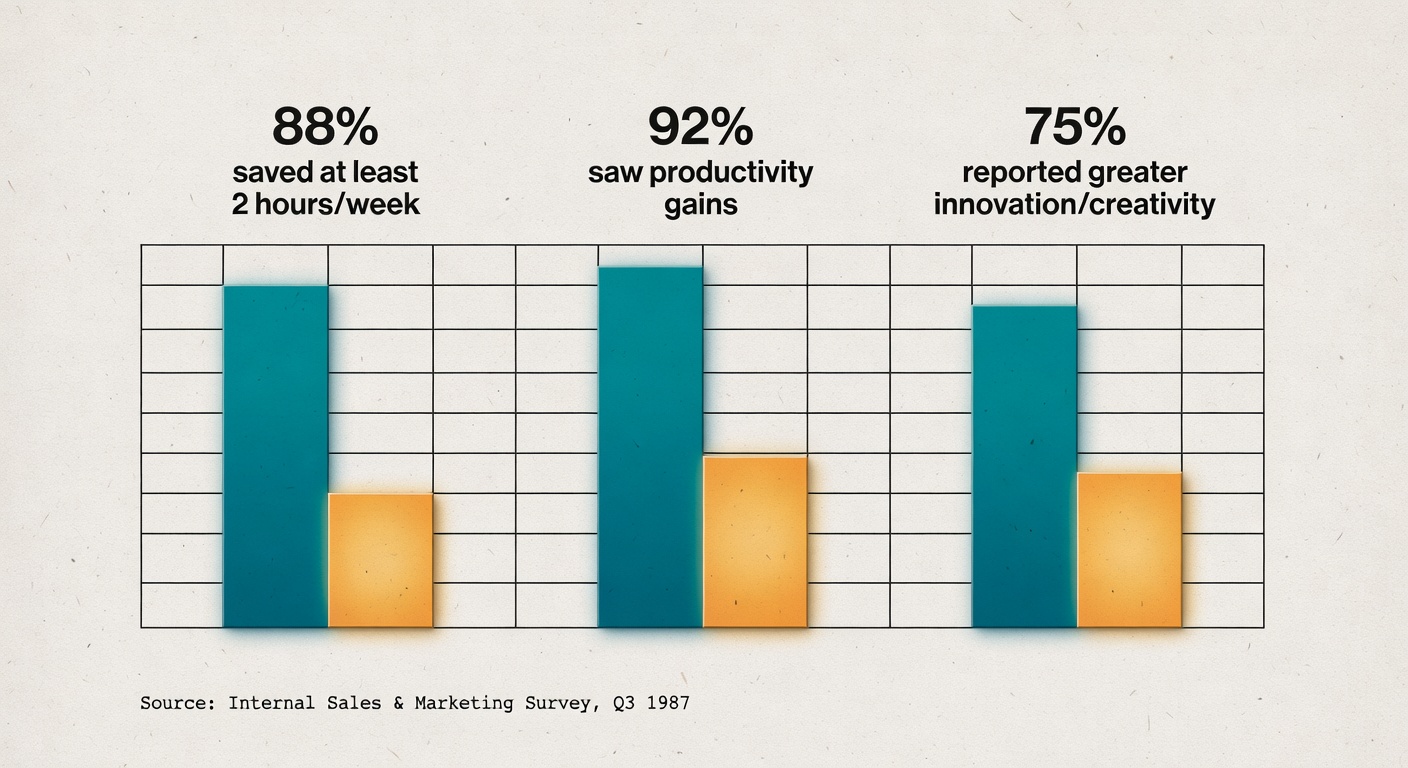
OpenAI’s sales/marketing page shows campaign analysis outputs with concrete metrics (ROAS, CTR, landing-page drop-off) and budget-shift suggestions, plus survey-style outcomes: 88% saved at least 2 hours/week, 92% saw productivity gains, 75% reported greater innovation/creativity (Sales & marketing).
Measure sales/marketing ROI with a small scorecard:
- Time-to-launch: brief → approved draft → live
- Revision cycles: number of back-and-forth edits before approval
- Performance deltas: CTR/CPA/ROAS changes with holdouts
- Analyst hours saved: time spent on weekly reporting/memos
- Error rate: tracking mistakes, wrong numbers, wrong claims
Run a simple holdout test (so you don’t fool yourself): for two weeks, keep one segment “traditional” (no AI assistance) and one segment “AI-assisted,” using the same offer and targeting. If the AI segment wins, great. If it doesn’t, you just saved yourself from a very confident internal myth.
Heinz Marketing tried using ChatGPT to generate a marketing workflow and summed it up with: “sorta,” adding that deep, visualised workflows with clear roles may be “a few years” out (Heinz Marketing). That matches what I see: it’ll draft decent text, but ownership and handoffs still need humans.
AI-assisted vs Traditional Campaign Workflow (where the human parts don’t disappear)
| Step | Traditional: owner / cycle time / failure modes | AI-assisted: owner / cycle time / failure modes |
|---|---|---|
| Brief | PMM/Marketing / 1–3 days / vague goals, missing constraints | PMM/Marketing / hours–1 day / garbage-in brief yields generic drafts |
| Draft | Copywriter / 1–2 days / slow iteration, tone drift | Marketer + AI / minutes–hours / plausible but wrong claims |
| Review | Manager/Brand / 1–3 days / endless rewrites | Manager/Brand / 1–2 days / rework spikes if rubric isn’t explicit |
| Compliance | Legal/Compliance / days–weeks / late-stage blockers | Legal/Compliance / days–weeks / faster preflight, but still human approval |
| Launch | Channel owner / hours / tracking misconfig | Channel owner / hours / overconfidence in AI “recommendations” |
| Analysis | Analyst / 0.5–2 days / slow insights, manual reporting | Analyst + AI / hours / wrong assumptions if data issues aren’t stated |
Customer Service: Use ChatGPT Internally First (and Be Honest About Its Limits)
Zendesk doesn’t hedge: “we would not recommend using ChatGPT for customer support at this time” (Zendesk).
So treat it as agent assist, not an autonomous support rep:
- ticket/call summarisation,
- drafting macros (prewritten responses),
- translating help-center articles,
- polishing internal notes (Zendesk).
Support implementation details that actually matter
- Train redaction like it’s a core skill. Give agents a 10-line “do not paste” list (PII, payment details, auth tokens, etc.). Make it muscle memory.
- Enforce draft-only with QA sampling. Randomly sample (say) 5% of AI-assisted replies weekly; score them against your QA rubric; track “hallucination incidents” as a real metric, not a shame event.
- Require citations to your KB. If the draft makes a factual claim, it should link to the internal article that supports it. No link, no claim.
Support metrics to track (adoption + quality)
- AHT impact (average handle time) — but only if QA stays stable
- First-contact resolution — did it actually solve the issue?
- Escalation rate — are we pushing more to Tier 2?
- QA score — sampled weekly
- Hallucination incidents — count + severity
Reality check: if AHT improves but escalations spike, you didn’t “win.” You just moved the work downstream.
Security, Privacy, and “Don’t Paste That”: A Lightweight Policy for Small Teams
I can’t help but feel a bit skeptical here—not because the security claims are fake, but because small teams tend to skip the boring governance until something breaks.
ChatGPT Business claims:
- data is “never used for training,”
- “everything is encrypted,”
- SSO and multi-factor authentication,
- support for GDPR/CCPA compliance (ChatGPT Business).
Good. Still, set a simple classification rule:
- Public: OK to paste.
- Internal: OK if it wouldn’t hurt to leak.
- Confidential: redact or summarise; prefer internal tools.
- Regulated/PII: don’t paste unless you have explicit approval and a documented process.
Zendesk also flags privacy concerns as “top of mind,” especially with customer interactions (Zendesk). Treat customer data like it’s radioactive until proven otherwise.
Minimum viable AI policy (one page): allowed data, review steps, and logging
- Approved accounts/tools (e.g., ChatGPT Business workspace)
- Redaction rules (what must be removed)
- Who can create and share custom GPTs (ChatGPT Business supports team GPTs) (ChatGPT Business)
- Review requirement (who signs off on customer-facing text)
- Lightweight audit trail: what was generated, by whom, and what was edited before sending
If you can’t explain your policy in one page, nobody will follow it.