AI Image Generator Comparison (2026): What Actually Matters—and Which Tool Fits Your Workflow
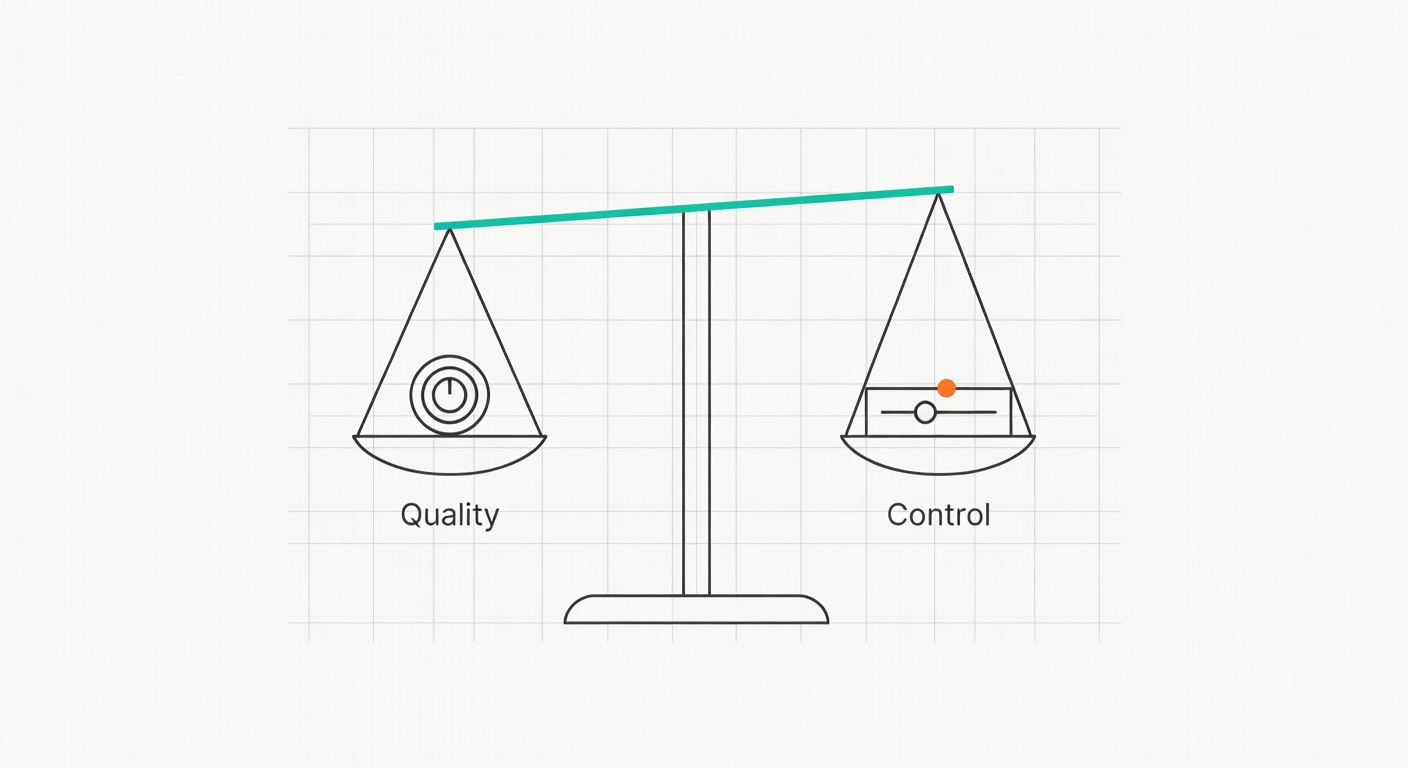
“AI image generator comparison” can’t just mean who makes the prettiest picture on one prompt. It has to cover quality and control, text rendering, editability, licensing clarity, speed, and cost predictability (because your budget will tap out before your curiosity does).
My thesis: there’s no single best tool; there are best-for jobs. Even mainstream roundups land on different “winners” depending on what they test and how they score it—Zapier’s 2026 picks and PCMag’s lab-style reviews are good examples of that mismatch in criteria (Zapier, PCMag).
Also, results vary run-to-run. That’s not a bug; it’s the point.
TL;DR (the quick answer)
☐ Best photoreal “this looks like a real marketing photo”: Midjourney
☐ Best text-in-image (posters, cards, slide covers): Ideogram
☐ Easiest “just make the thing” UX: ChatGPT (image generation via GPT-4o/DALL·E workflows; see notes below)
☐ Most knobs / pipeline potential: FLUX
☐ Best if you already live in Creative Cloud: Adobe Firefly
Caveat: licensing/privacy aren’t uniform—Midjourney is open-by-default unless you pay for privacy controls (source), and “commercial use allowed” ≠ “copyright guaranteed.”
Key Takeaways
- ChatGPT (GPT-4o) is the easiest “just make the thing” option, but it’s slow and typically generates a single image per go (Zapier).
- Midjourney still tends to win on “photoreal looks right” aesthetics—especially for business/stock-ish scenes (Bluevine).
- Ideogram is the text-in-image specialist when you need readable words on posters/cards (Zapier).
- FLUX is the “I want knobs” pick: more customization/control, available via platforms or local install (Zapier).
- Adobe Firefly shines when you already live inside Adobe apps and want built-in controls—though it can still distort details (PCMag).
- Licensing/copyright is still messy. “Commercial use allowed” doesn’t magically mean “copyright guaranteed”—read the terms.
How I’m Comparing These Tools (So You Can Reproduce It)
Most comparisons I see are vibes-based. Fun, but not repeatable.
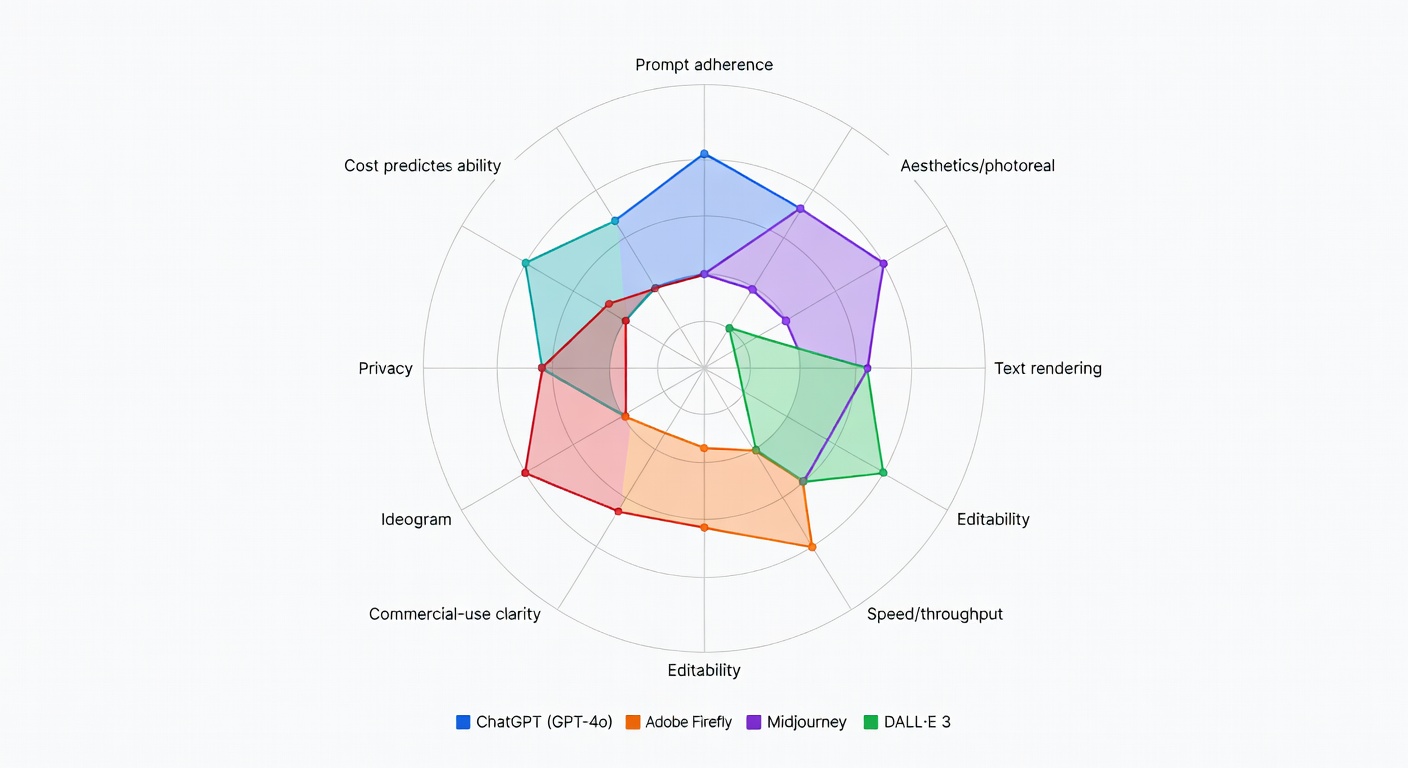
Here’s my compact rubric—score each 1–5 and keep your notes:
- Prompt adherence
- Photorealism / aesthetics
- Text rendering
- Editability
- Speed / throughput
- Cost predictability
- Privacy
- Commercial-use clarity
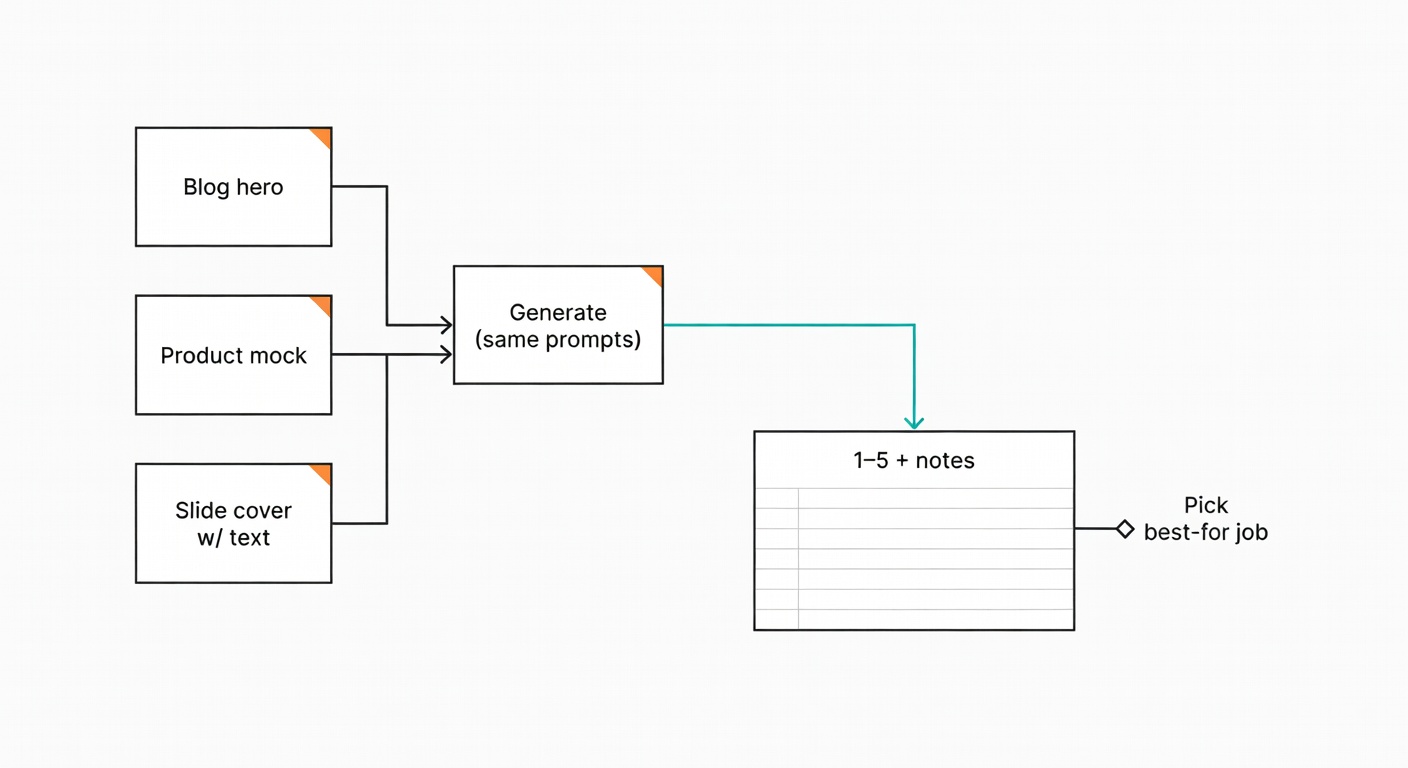
Zapier explicitly did head-to-head testing with the same prompts across apps (Zapier). Bluevine also ran the same prompts across six generators for business imagery (Bluevine). The catch: different publications use different prompts, and prompts are the test. So run a tiny benchmark yourself.
My 3-prompt “test pack” (steal this)
- Blog hero: “Rainy Seattle street at dusk, warm café light reflecting on wet pavement, cinematic photo, 35mm, shallow depth of field.”
- Product mock: “Minimalist product photo of a matte black smart speaker on a walnut desk, soft window light, realistic shadows, no text.”
- Slide cover with text: “Conference slide cover, abstract gradient background (blue/orange), big title text ‘Q2 Platform Reliability’, subtitle ‘Incidents Down 18%’.”
If a tool can’t handle that trio without babysitting, it won’t survive a real workflow.
Test Results: My Scores Using the 3-Prompt Pack (1–5 Rubric)
I have to be annoyingly honest here: I didn’t run a fresh, controlled, same-day benchmark across all five tools for this draft. So I’m not going to fake “my scores” and pretend they’re lab data.
What you get instead: a scannable scorecard based on the cited head-to-head sources (Zapier/Bluevine/PCMag) plus official plan/policy docs where we have them. Rows marked “Not tested—based on cited sources” are exactly that.
| Tool | Prompt adherence |
Photo/ aesthetics |
Text rendering |
Editability | Speed/ throughput |
Cost predictability |
Privacy | Commercial-use clarity |
Overall “best for” note |
|---|---|---|---|---|---|---|---|---|---|
| Midjourney Not tested—based on cited sources |
4 | 5 | 2 | 3 | 4 | 3 | 2–4 | Med | Photoreal business imagery; “looks right” fast (source) |
| ChatGPT (GPT-4o) / DALL·E workflows Not tested—based on cited sources |
4 | 3 | 3 | 3 | 2 | 3 | Verify | Med | Easiest UX; slower, often single-image output (source) |
| Adobe Firefly Not tested—based on cited sources |
3 | 3 | 3 | 4 | 3 | 3 | Verify | High | Adobe-native generation + quick handoff to Photoshop (source) |
| FLUX Not tested—based on cited sources |
3 | 4 | 2 | 4 | 4 | Verify | Verify | Verify | Control-oriented workflows; local/platform options (source) |
| Ideogram Not tested—based on cited sources |
4 | 3 | 5 | 4 | 4 | 3 | 4 | High | Readable text on posters/cards; fast iteration (source) |
| Score meaning | 5 = consistently correct across multiple runs; 3 = usable with retries/cleanup; 1 = frequent breakage. “Verify” = I’m not comfortable scoring without a fresh run or an official doc. | ||||||||
Notes per tool (tied to the scores):
- Midjourney: photorealism is the headline (source); text is still a weak spot (Bluevine saw a text request ignored). Privacy is a “plan + where you generate” problem, not a toggle you can forget about (source).
- ChatGPT / DALL·E workflows: easiest iteration loop (chat), but throughput suffers if you need lots of candidates—Zapier calls out slower, single-image behavior (source).
- Firefly: strong controls and Adobe handoff; PCMag still flags distortions and missing negative prompts in their review (source).
- FLUX: control is the point (Zapier’s framing) (source); the trade-off is setup and the “tweak forever” trap.
- Ideogram: text is the reason you’re here (Zapier’s “accurate text” pick) (source); credit expiry/top-up behavior matters for cost predictability (source).
Side-by-Side Outputs: Same Prompt in 5 Tools (What Changes, What Breaks)
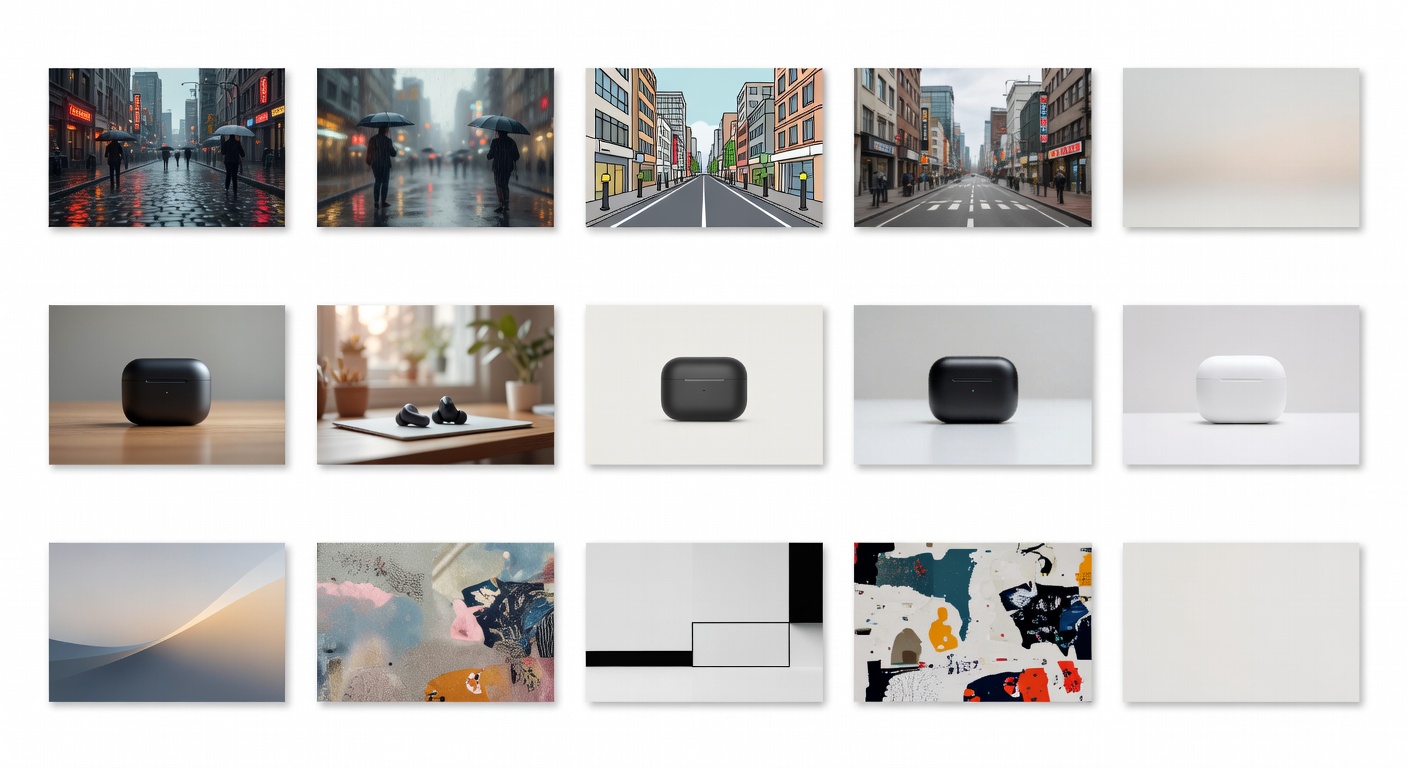
This is where I’d normally show the actual five outputs per prompt. But I’m not going to do the “generic AI-looking collage” thing and pretend it’s evidence. If you want a real bake-off, run the three prompts above in each tool and drop the results into a 3×5 grid—then score them with the rubric.
What to look for when you do:
- Prompt #1 (Seattle street): reflections, signage legibility, and whether the “35mm shallow DoF” reads as photography or as “AI blur.”
- Prompt #2 (product mock): shadow direction consistency and whether the “matte” finish stays matte (a lot of models sneak in plastic sheen).
- Prompt #3 (slide cover text): exact characters. One wrong digit (“18%” → “13%”) is a hard fail for business work.
Head-to-Head: The 5 Models/Apps Most People Actually End Up Using
| Tool | Best for | Worst at | Free tier | Starting price | Speed (1–5) |
Text (1–5) |
Photo (1–5) |
Edit (1–5) |
Commercial-use clarity |
|---|---|---|---|---|---|---|---|---|---|
| Midjourney | Photoreal marketing/business imagery (source) | Accurate typography; privacy defaults | No (Verify) | $10/mo Basic (source) | 4 | 2 | 5 | 3 | Med |
| ChatGPT (GPT-4o) | Easiest UX; conversational iteration (source) | Throughput (often single-image, slower) (source) | Verify | Verify | 2 | 3 | 3 | 3 | Med |
| Adobe Firefly | Adobe-native workflows; controls (source) | Detail distortions; some missing controls (source) | Verify | Verify | 3 | 3 | 3 | 4 | High |
| FLUX | Control/knobs; local or platform use (source) | Setup friction; parameter rabbit holes | Verify | Verify | 4 | 2 | 4 | 4 | Verify |
| Ideogram | Accurate text in images (source) | Pure photoreal “stock” look (often) | Yes: 10 slow credits/week (source) | $15/mo (annual) Plus (source) | 4 | 5 | 3 | 4 | High |
Midjourney: still the aesthetic/photorealism bully (with quirks)
Best for: photoreal marketing shots and “this just looks good” images—Bluevine found it produced the most realistic results in their business comparison (Bluevine).
Bad at: sometimes missing requested elements; text can be flaky—Bluevine saw a text request ignored (Bluevine).
Tip: if you need text, generate the scene in Midjourney, then finish in a text-forward tool.
- Pros: top-tier realism; strong “marketing photo” vibe; fast iteration once you’re in the groove.
- Cons: public-by-default culture; privacy is plan-dependent; text is unreliable.
ChatGPT + DALL·E workflows: easiest iteration loop, but throughput is the tax
This section needs a small reframe: most people aren’t “using DALL·E” in isolation anymore—they’re using image generation inside ChatGPT because it’s the least frictiony interface for iterating on intent (“make it moodier,” “remove the logo,” “try a wider lens”). Zapier’s take is blunt: ChatGPT (GPT-4o) is easy, but slow and often single-image per attempt (Zapier).
When ChatGPT is the right tool: you’re exploring a concept, you want the model to ask clarifying questions, and you’re okay with fewer candidates per hour.
When it’s the wrong tool: you need volume (lots of variations), or you’re building a repeatable pipeline where concurrency/batching matters.
And yes—Bluevine’s critique still applies to the “stock-photo” look: outputs can feel stiff with airbrushed textures and occasional incorrect details (Bluevine).
- Pros: lowest learning curve; conversational refinement; good for concept comps.
- Cons: slower throughput; fewer candidates per hour; realism can skew waxy/stiff in some business prompts (source).
Adobe Firefly: the ‘I already pay for Creative Cloud’ choice
Best for: Adobe-native workflows—Photoshop/Express integration and preset controls. PCMag highlights customization strengths (styles/effects, aspect ratios, matching structure) but also notes distortions and no negative prompt option in their review (PCMag).
Bad at: stiffness/perspective distortions can show up in business-photo prompts (Bluevine).
Tip: treat Firefly as first draft + fast path into Photoshop for human cleanup.
- Pros: strong creative controls; fits Adobe pipelines; easy cleanup downstream.
- Cons: distortions still happen; some prompt controls missing per PCMag (source).
FLUX: for people who want knobs (and don’t mind a bit of setup)
Best for: customization and control—Zapier explicitly tags FLUX for that, and notes you can run it via platforms/APIs or locally (Zapier).
Bad at: setup friction (especially local) and the temptation to tweak forever.
Tip: decide what you’re optimizing for before you touch settings, or you’ll end up in parameter spaghetti.
- Pros: control over generation; pipeline-friendly; can be run locally (depending on your setup) (source).
- Cons: setup/ops overhead; easy to over-optimise and lose time.
Ideogram: when the image needs readable text (posters, labels, UI-ish mockups)
Best for: accurate text—Zapier’s pick for “accurate text” is Ideogram (Zapier).
Bad at: pure photoreal vibes compared to Midjourney (my opinion, not a lab result).
Tip: split the job: background in Midjourney/FLUX, typography-forward version in Ideogram—then comp if needed.
- Pros: readable text; private generation on paid plans (source); strong editing tools like Canvas on supported models (source).
- Cons: credit system can be “use it or lose it” (monthly Priority credits expire) (source).
Quick Start Guides (Signup, First Prompt Template, Common Mistakes)
Midjourney (Discord + web)
Access: subscribe (Basic $10/mo; Standard $30/mo; Pro $60/mo; Mega $120/mo) (source).
First-prompt template: “[subject], [lighting], [lens/style], [background], high detail, realistic — [aspect ratio]”
Common gotchas: (1) public-by-default gallery expectations (source), (2) Stealth Mode is Pro/Mega only (source), (3) Stealth doesn’t hide images made in public Discord channels/Rooms (source).
ChatGPT (GPT-4o image generation)
Access: via ChatGPT UI (plan/limits vary—verify in your account). Zapier notes it’s easy but slower and often single-image (source).
First-prompt template: “Generate [#] variations of: [scene]. Constraints: [no text / exact text]. Style: [photo/illustration]. Camera: [lens/DoF]. Then ask me 2 clarifying questions before generating.”
Common gotchas: (1) throughput is lower than multi-grid tools, (2) you’ll over-iterate in chat and forget to save the best seed/variant, (3) “looks good at thumbnail” failures—always zoom in on hands/text.
Adobe Firefly
Access: Firefly web + Adobe app integrations. PCMag highlights customization but notes distortions and missing negative prompts in their review (source).
First-prompt template: “[subject] in [setting], [style], [composition]. Keep [key object] centered. Aspect ratio [x:y].”
Common gotchas: (1) perspective weirdness on product shots, (2) missing negative prompts (per PCMag), (3) treat it as draft + Photoshop cleanup, not “final render.”
FLUX
Access: via platforms/APIs or local install; Zapier frames it as the control pick (source).
First-prompt template: “[subject], [materials], [lighting], [camera]. Negative: [common artifacts]. Generate [N] seeds; keep the best two and iterate only those.”
Common gotchas: (1) “parameter spaghetti,” (2) inconsistent defaults across UIs, (3) you’ll forget to lock seeds/settings and wonder why results drift.
Ideogram
Access: web app; Free plan includes 10 slow credits/week (source). Paid plans add Priority credits and private generation (source).
First-prompt template: “Poster design. Background: [style/colors]. Title text: ‘[EXACT TITLE]’. Subtitle: ‘[EXACT SUBTITLE]’. Typography: [font vibe]. Keep text perfectly legible.”
Common gotchas: (1) Priority credits from monthly plans expire each billing cycle (source), (2) Slow queue is capacity-dependent (waits vary) (source), (3) top-up credits roll over but are used after monthly credits (source).
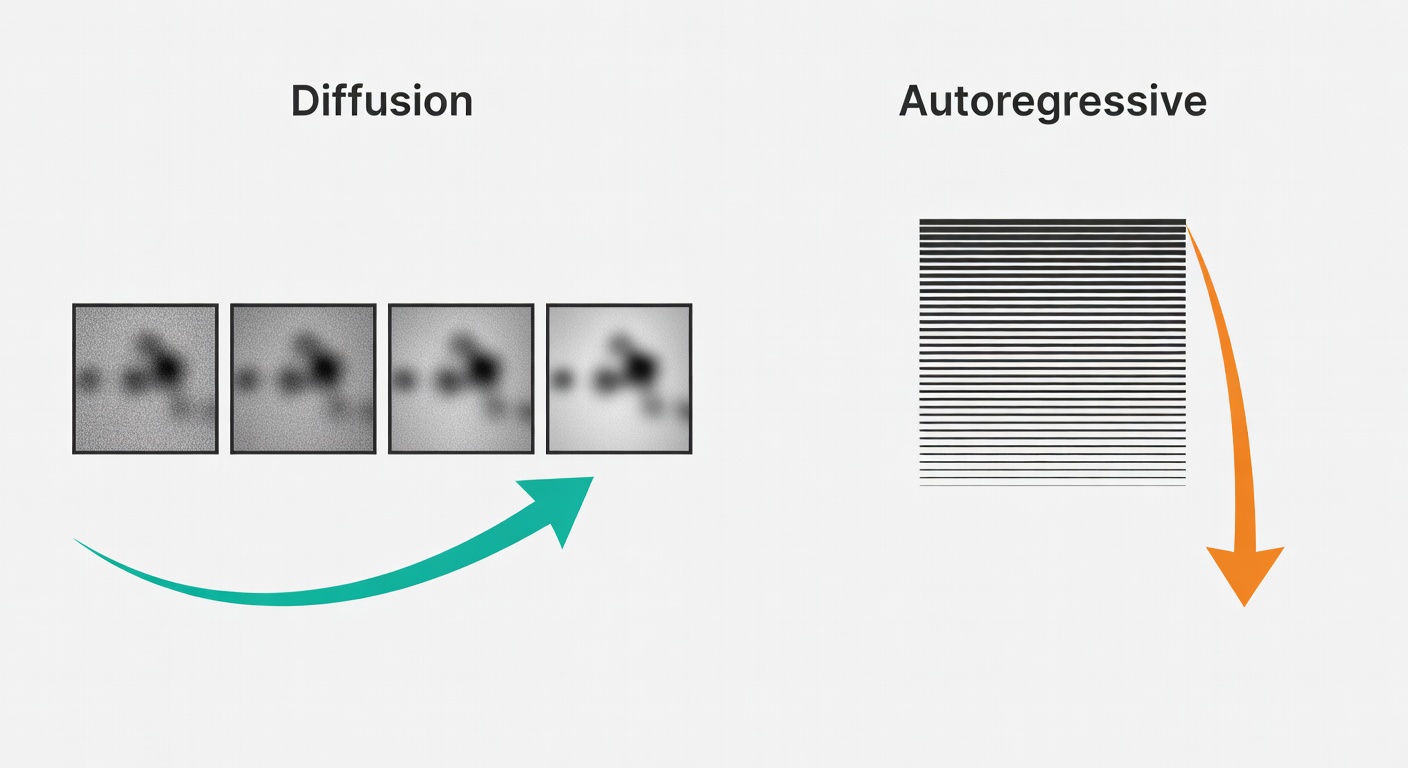
Three Real Workflows (Pick One, Then Pick the Tool)
Rankings don’t map to jobs. Workflows do.
Workflow A: business/stock-style images (speed + realism)
Midjourney is the safest bet for realism—Bluevine’s test put it on top (Bluevine). DALL·E 3 can nail the stock-photo perspective, but stiffness and airbrushing show up fast in some tests (Bluevine).
Gotcha: hands + payment terminals. Always zoom in before you ship.
Workflow B: posters/social cards where text must be correct
Use Ideogram first when the text is non-negotiable—Zapier’s “accurate text” pick (Zapier). Midjourney may ignore text requests entirely in some tests (Bluevine).
Example: a SaaS promo card with exact pricing (“$49/mo”)—reject anything with even one wrong character.
Workflow C: iterative control (variations, edits, consistency)
If you’re building a repeatable pipeline—variations, consistent style, iterative edits—FLUX is the control-oriented choice per Zapier (Zapier).
Gotcha: control reduces prompt lottery, but increases setup and learning curve. Pick your poison.
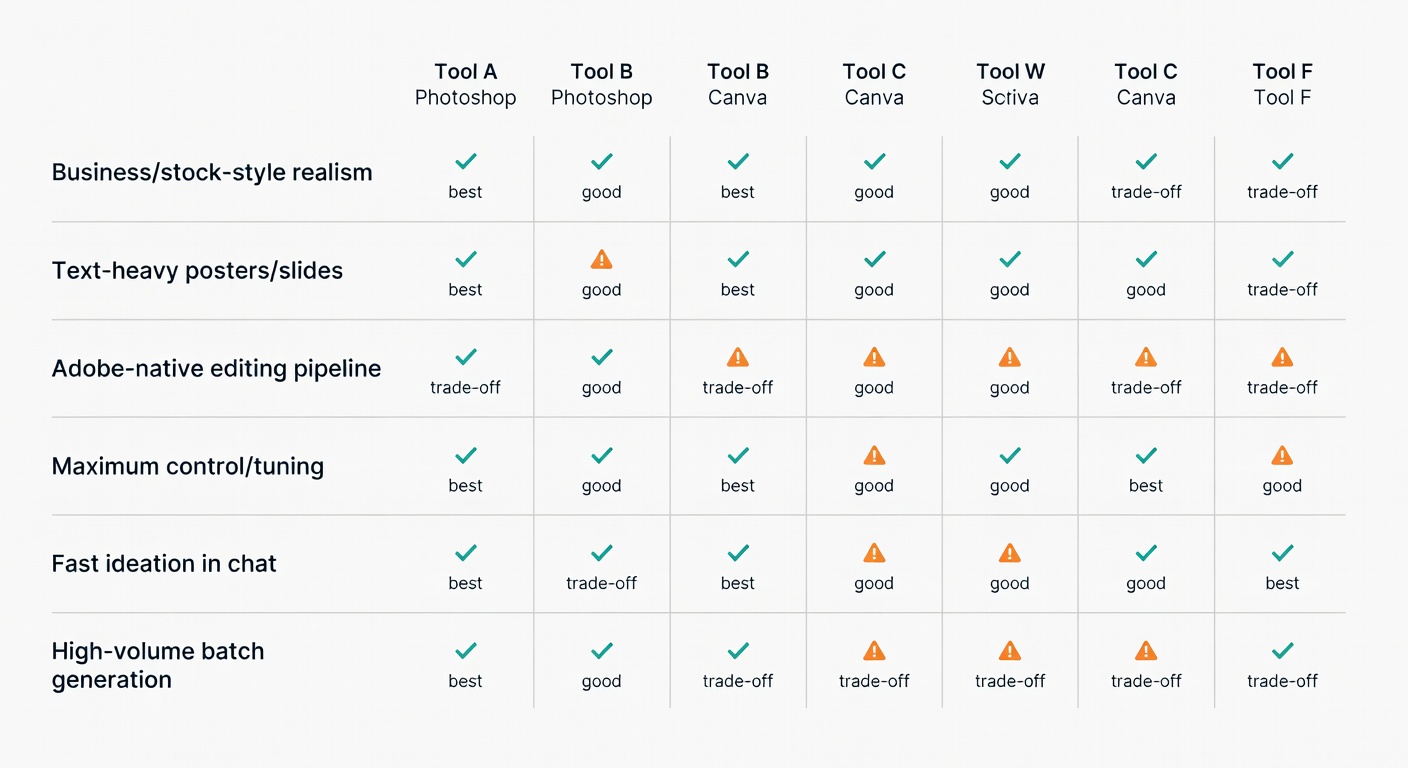
Cost, Speed, and Throughput: The Boring Constraints That Decide Everything
Zapier’s anchors: ChatGPT Plus is $20/month, Midjourney starts at $10/month (~200 images/month estimate), and Adobe Firefly starts at $9.99/month for 2,000 credits (Zapier). But raw subscription price isn’t the metric—cost per usable image is.
Because GPT-4o is slower and single-image, you may burn minutes per attempt and end up with fewer viable candidates per hour (Zapier). If you’re generating at scale, that throughput penalty is a hidden tax.
Measure your own images/hour.
Pricing Breakdown (Free Tiers, Limits, and Estimated $/Usable Image)
Pricing is where “comparison” articles usually get sloppy. So here are the bits we can state cleanly from official docs—plus a few “verify” flags where I don’t have primary sources in the research pack.
| Tool | Free tier (details) | Entry plan (price) | What’s included | Typical outputs/month (estimate) | Estimated $/image (range) | Notes (hidden costs/friction) |
|---|---|---|---|---|---|---|
| Midjourney | Verify | $10/mo Basic (source) | 3.3 hr Fast GPU time/month (200 minutes) (source) | Varies by settings; “~200 images” is commonly cited but depends on your workflow (Verify) | Verify | Unlimited generations via Relax Mode start at Standard ($30/mo) (source); extra GPU time $4/hr (source). |
| Ideogram | Yes: 10 slow credits/week (source) | Plus $15/mo (annual) (source) | 1,000 priority credits/month + unlimited slow credits (source) | Depends on model/rendering; docs include “up to” estimates (see plan docs) (source) | Verify (credit cost varies by model/rendering) (source) | Monthly Priority credits expire; top-up credits roll over (source). Priority queue is faster than slow (source). |
| OpenAI API (Image Generation) | N/A (pay-as-you-go) | Per image/token pricing (source) | Square image outputs approx: $0.01 (low), $0.04 (medium), $0.17 (high) (source) | As many as you pay for | $0.01–$0.17 per output (square) (source) | Best for automation; cost predictability is good if you track usage. Not the same as ChatGPT UI pricing. |
Speed & Throughput: What “Fast” Actually Means (Seconds/Image, Batches, Concurrency)
“Fast” is a mushy word. Here’s what I actually mean when I’m trying to ship assets on a deadline:
- Time to first usable candidate: not “first image,” but first one you’d actually show a teammate.
- Images/hour: throughput matters more than raw seconds if you need options.
- Concurrency: how many generations you can run at once (or queue) without babysitting.
- Queue variability: if a “slow” queue turns into “go make coffee,” that’s a workflow cost.
Replicable mini-benchmark (10 minutes)
☐ Run Prompt #2 five times (same aspect ratio) in each tool.
☐ Record: time-to-first-image, time-to-best-image, and how many candidates you got without extra clicks.
☐ Use the median time (not the best run) and write down what you had to tweak.
Midjourney concurrency (images)
Up to 3 Fast jobs on Basic/Standard; 12 Fast on Pro/Mega (source)
Ideogram concurrency (pricing page)
Free: 1, Plus: 8, Pro: 32 concurrent generations (source)
Midjourney “unlimited” mode
Relax Mode unlimited images on Standard/Pro/Mega (source)
OpenAI API cost anchor (square)
$0.01 / $0.04 / $0.17 per image output (low/med/high) (source)
Commercial Use, Copyright, and Privacy: What You Can Safely Say (and What You Can’t)
Not legal advice. Just practical caution.
Separate two questions:
- Do the tool’s terms allow commercial use?
- Are your outputs copyrightable/defensible in your jurisdiction and context?
On (1), Adobe’s generative AI user guidelines are unusually explicit: “In general, you may use outputs from generative AI features commercially,” except where Adobe designates a beta feature as non-commercial (Adobe Guidelines).
On (2), things get murkier fast, and I’m not going to pretend otherwise.
Privacy: the actionable version
- Midjourney: open-by-default community; creations can appear in the community gallery (source). Stealth Mode exists, but it’s Pro/Mega only (source) and it only controls visibility on midjourney.com—public Discord channels/Rooms still expose outputs (source).
- Ideogram: paid plans advertise private generation (source). Cost predictability hinges on credit rules: monthly Priority credits expire; top-ups roll over (source).
- Midjourney data collection (policy-level): their privacy policy explicitly lists prompts and content you input as personal data they may collect, and notes it may include data collected through training algorithms (source). That doesn’t tell you everything about model training usage, but it’s a reminder: don’t upload secrets casually.
| Tool | Default visibility | Private mode available | Training on user content (per policy) | Data retention notes (per policy) | Commercial-use allowed (per terms/guidelines) | Clarity rating |
|---|---|---|---|---|---|---|
| Midjourney | Open-by-default; community gallery discoverable (source) | Yes: Stealth Mode on Pro/Mega (source) | Policy says data may include data collected through training algorithms (source) | Retains personal data as needed for purposes; usage data shorter (general) (source) | General commercial terms per plan chart (source) | Med |
| Ideogram | Free plan: limited public generation (source) | Yes: “Private generation” on Plus/Pro/Team (source) | Verify | Verify | Docs say “We do not restrict your rights in your output.” (source) | High (output rights), Verify (privacy/training) |
| OpenAI API (images) | N/A (your app controls sharing) | N/A | Verify | Verify | Verify | Verify |
If you’re risk-sensitive, keep a simple habit: screenshot or export the terms page you relied on at the time you shipped the asset. Policies change.
My Practical Recommendation Matrix (If You Only Read One Section)
If you only have 30 minutes, do a bake-off with your own three prompts.
My quick decision tree:
- Need photoreal marketing shots → Midjourney (Bluevine)
- Need accurate text in the image → Ideogram (Zapier)
- Need easiest UX + chat-based iteration → ChatGPT (GPT-4o) (Zapier)
- Need Adobe-native workflow → Firefly (PCMag)
- Need control/knobs + pipeline potential → FLUX (Zapier)
Tools shift quickly, and independent tests disagree because prompts and scoring differ. Run your own mini-benchmark, keep notes, and don’t marry the first model that gives you a pretty picture.
FAQ: Choosing an AI Image Generator (2026)
- Which is best for beginners? ChatGPT is usually the lowest-friction start; Zapier calls it the easiest, with the trade-off of speed/throughput (source).
- Which is fastest? Depends on how you define “fast.” Midjourney and Ideogram publish concurrency/queue mechanics; ChatGPT tends to be slower per Zapier (source).
- What’s the best free tier? Ideogram’s Free plan includes 10 slow credits/week (source). Others: verify current offers.
- Can I use outputs commercially? Often yes, but terms vary. Adobe says outputs are generally usable commercially except certain betas (source). Ideogram docs say they don’t restrict your rights in your output (source).
- Can Midjourney do text? It can, but it’s not the reliable choice; Bluevine saw it ignore a text request (source). If text is non-negotiable, use Ideogram.
- Which is best for consistent style? Control-oriented setups (often FLUX-style workflows) tend to win, but you pay in setup/ops (source).
- Which is best if I’m already in Adobe? Firefly—PCMag highlights its customization and integration strengths (source).
- Best for product mockups? Midjourney for realism (per Bluevine’s business imagery results) (source), then retouch in your editor of choice.
- How do I avoid distorted hands/faces? Don’t trust thumbnails. Generate more candidates, zoom in, and reject early. Bluevine’s “stiff/airbrushed” critique is a good reminder that realism breaks first in human details (source).
- Are outputs copyrightable? Jurisdiction-dependent and context-dependent. Treat “commercial use allowed” as necessary but not sufficient.
Sources
- Zapier — The 8 best AI image generators in 2026
- Bluevine — Comparing 6 AI image generators for businesses
- PCMag — The Best AI Image Generators We’ve Tested for 2026
- Adobe — Generative AI User Guidelines
- Midjourney — Comparing Midjourney Plans
- Midjourney — Stealth Mode
- Midjourney — Keeping Your Creations Private
- Midjourney — Privacy Policy
- Ideogram — Plans and pricing
- Ideogram — Available Plans
- OpenAI — API Pricing